جهاز نسخ ريموت باب الكراج شامل مع نسخ تلقائي - 280-868 ميجاهرتز
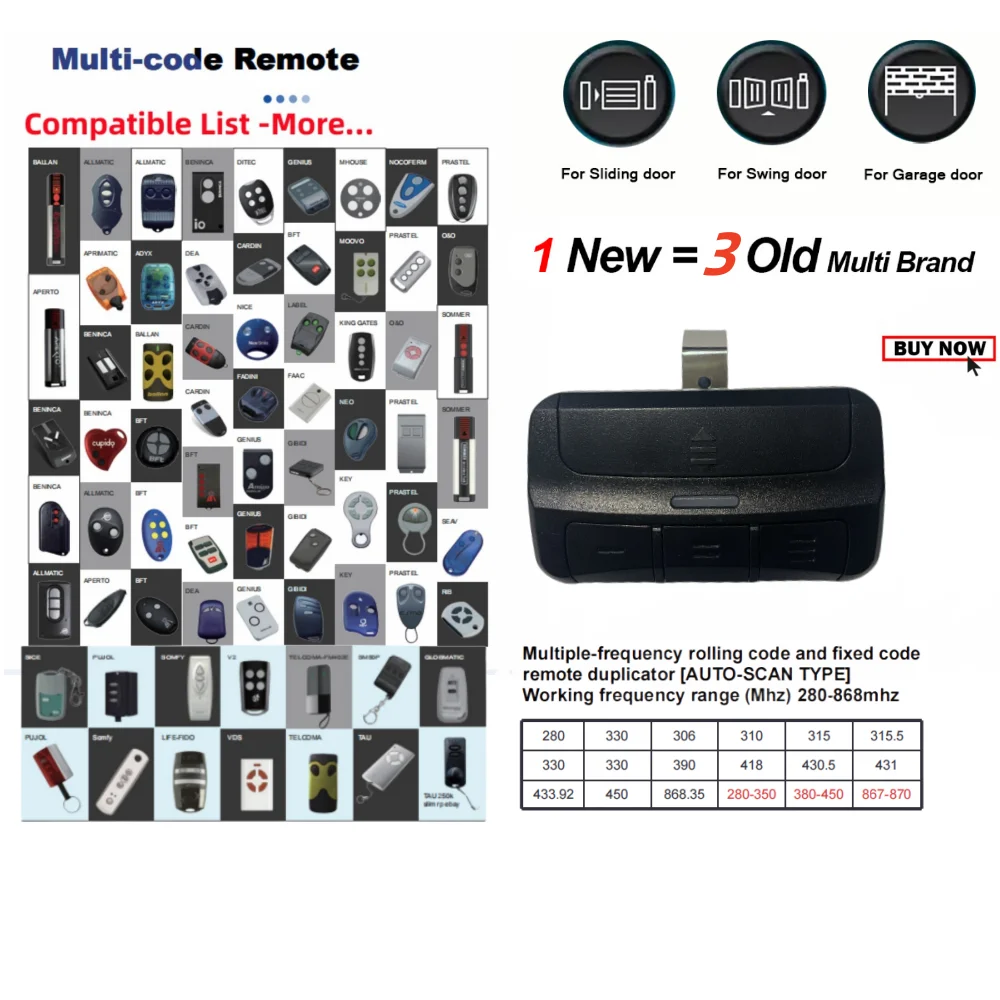
انسخ ريموت تحكم باب الكراج الحالي الخاص بك بسهولة مع جهاز نسخ ريموت باب الكراج الشامل هذا من متجر ابحر اونلاين. يتميز بوظيفة النسخ التلقائي لسهولة النسخ والتوافق مع مجموعة واسعة من الترددات والعلامات التجارية، مما يجعله حلاً مُتعدد الاستخدامات لاستبدال أو إضافة أجهزة تحكم عن بُعد جديدة.
المزايا:
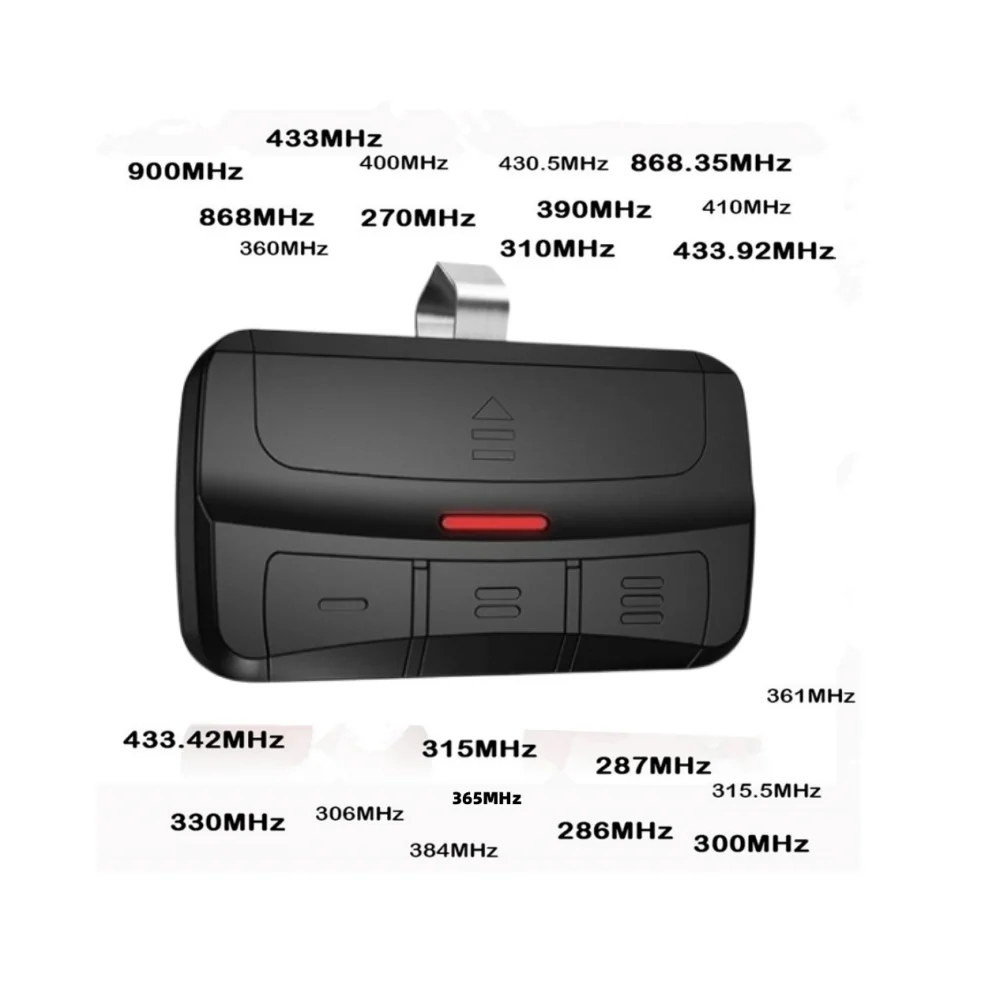
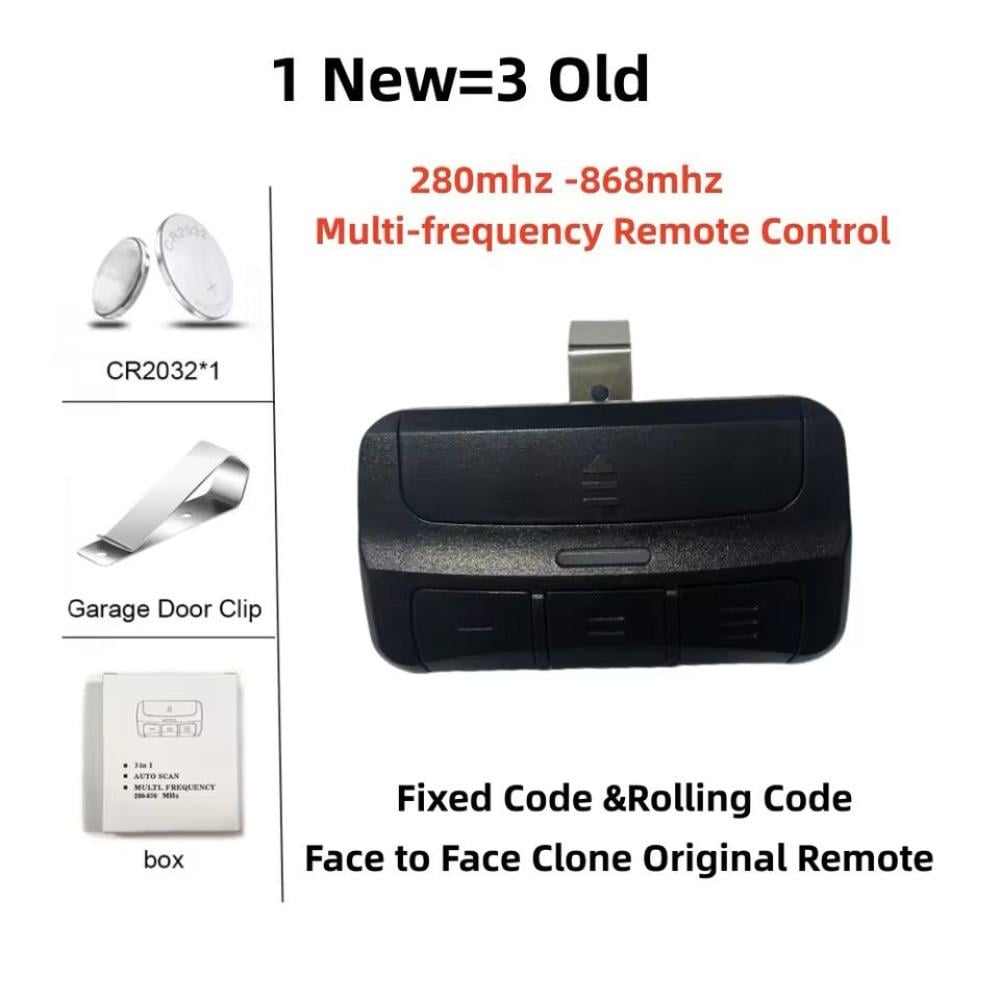
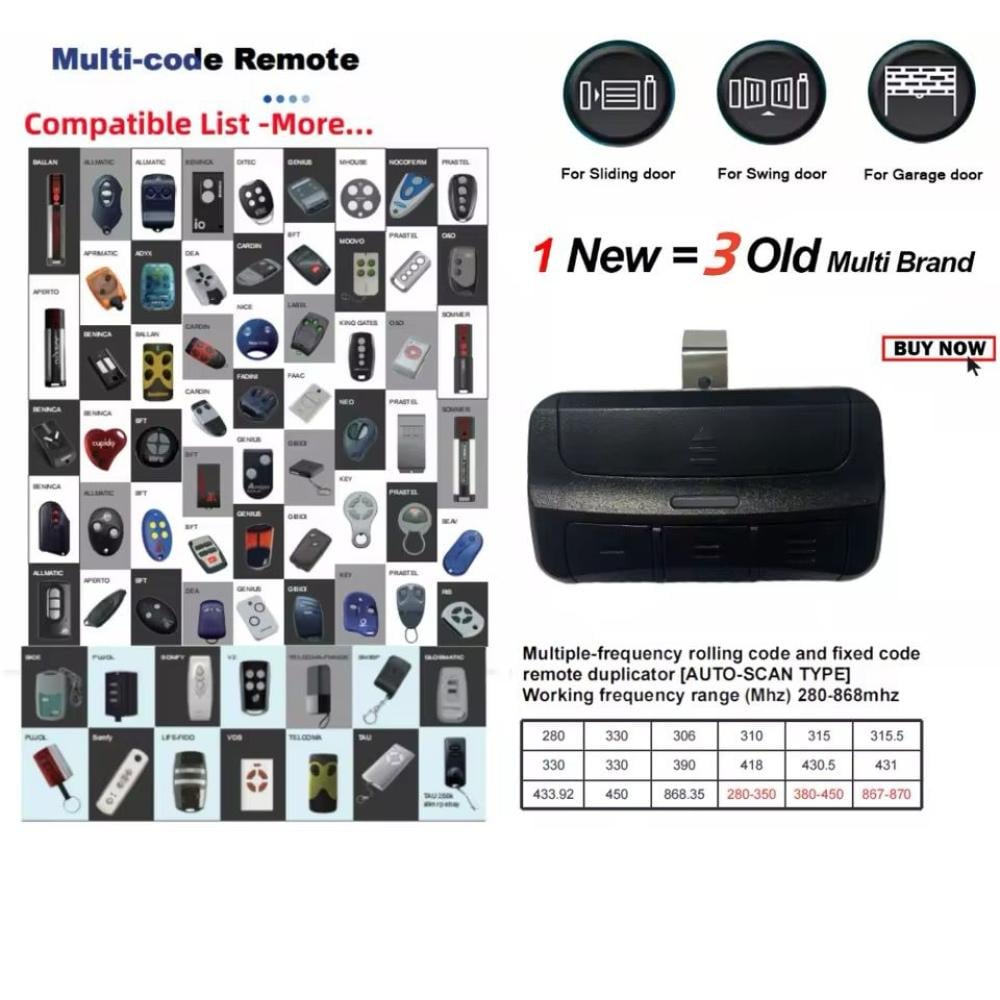
- نطاق تردد واسع: يدعم الترددات من 280 ميجاهرتز إلى 868 ميجاهرتز، ويُغطي مُعظم أجهزة فتح أبواب الكراج.
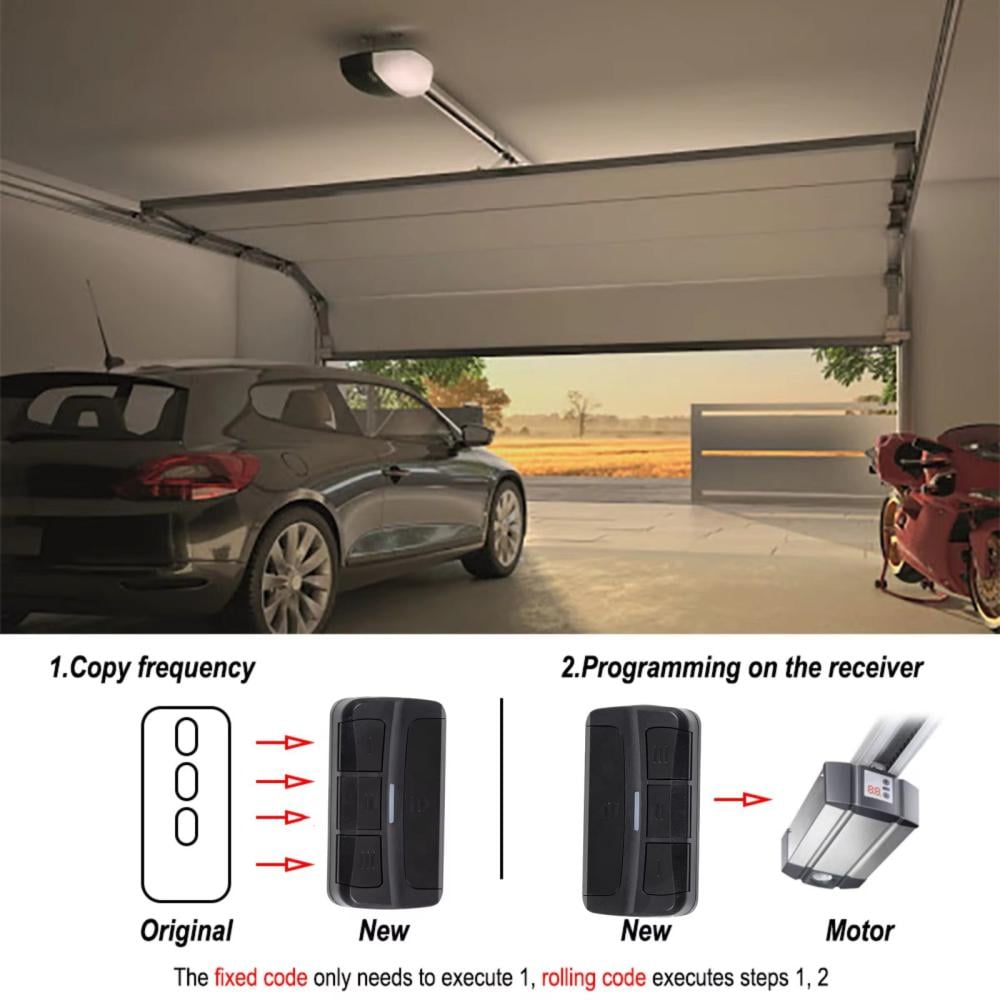
- وظيفة النسخ التلقائي: يقوم بمسح التردد والرمز من جهاز التحكم عن بُعد الحالي الخاص بك ونسخه تلقائيًا.
- توافق مُتعدد العلامات التجارية: يعمل مع مجموعة واسعة من علامات أجهزة فتح أبواب الكراج.
- سهل الاستخدام: برمجة بسيطة ومُباشرة مع تعليمات واضحة.
- متين وصغير الحجم: ريموت التحكم مصنوع من مواد متينة ويتميز بتصميم صغير الحجم لسهولة الحمل.
الاستخدام والتطبيقات العملية:
- استبدال ريموت باب الكراج المفقود أو التالف.
- إنشاء نسخ احتياطية من أجهزة التحكم عن بُعد لأفراد العائلة.
- ترقية جهاز تحكم عن بُعد قديم بطراز أحدث.
- دمج أجهزة تحكم عن بُعد مُتعددة في جهاز واحد.
التوافق:
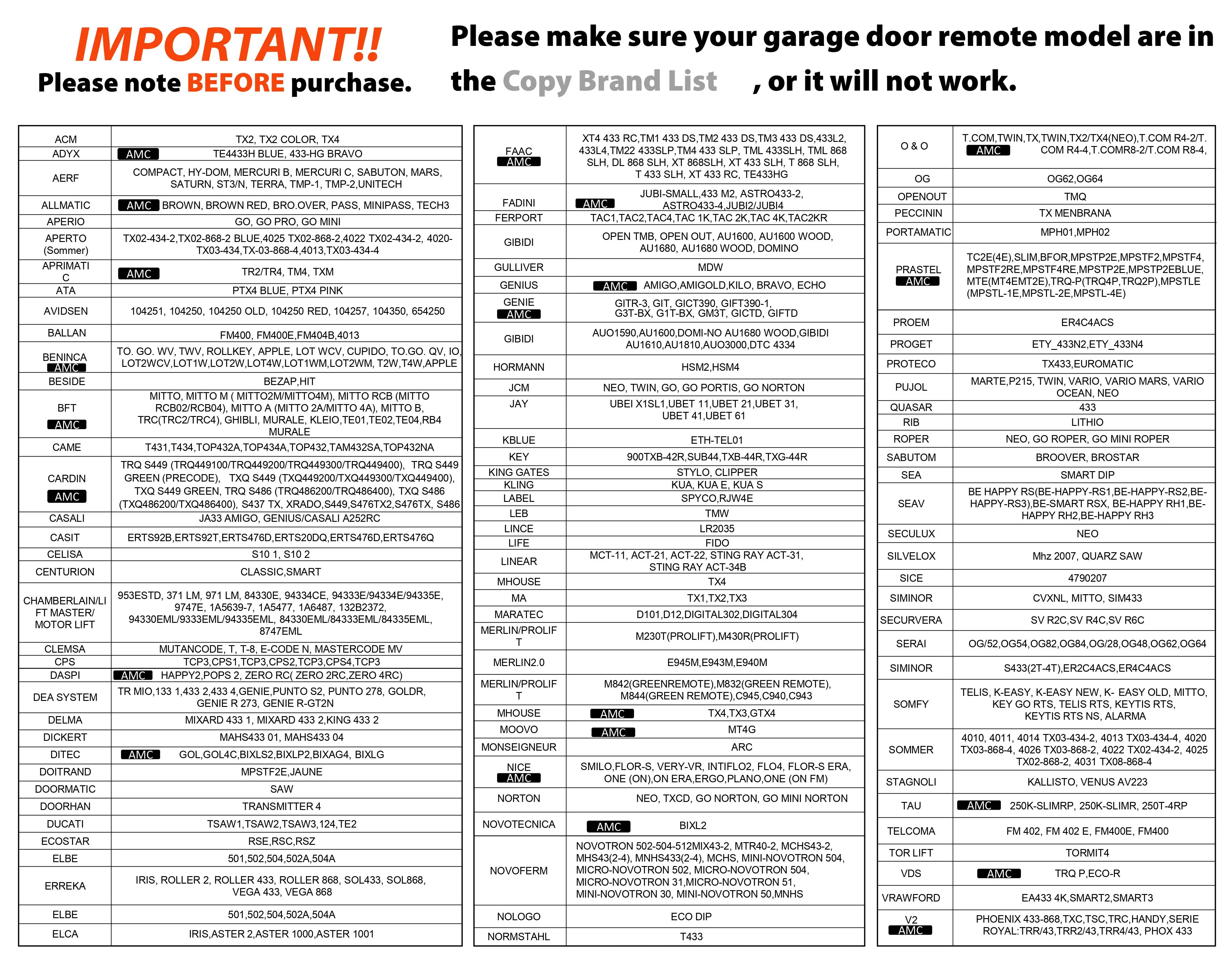
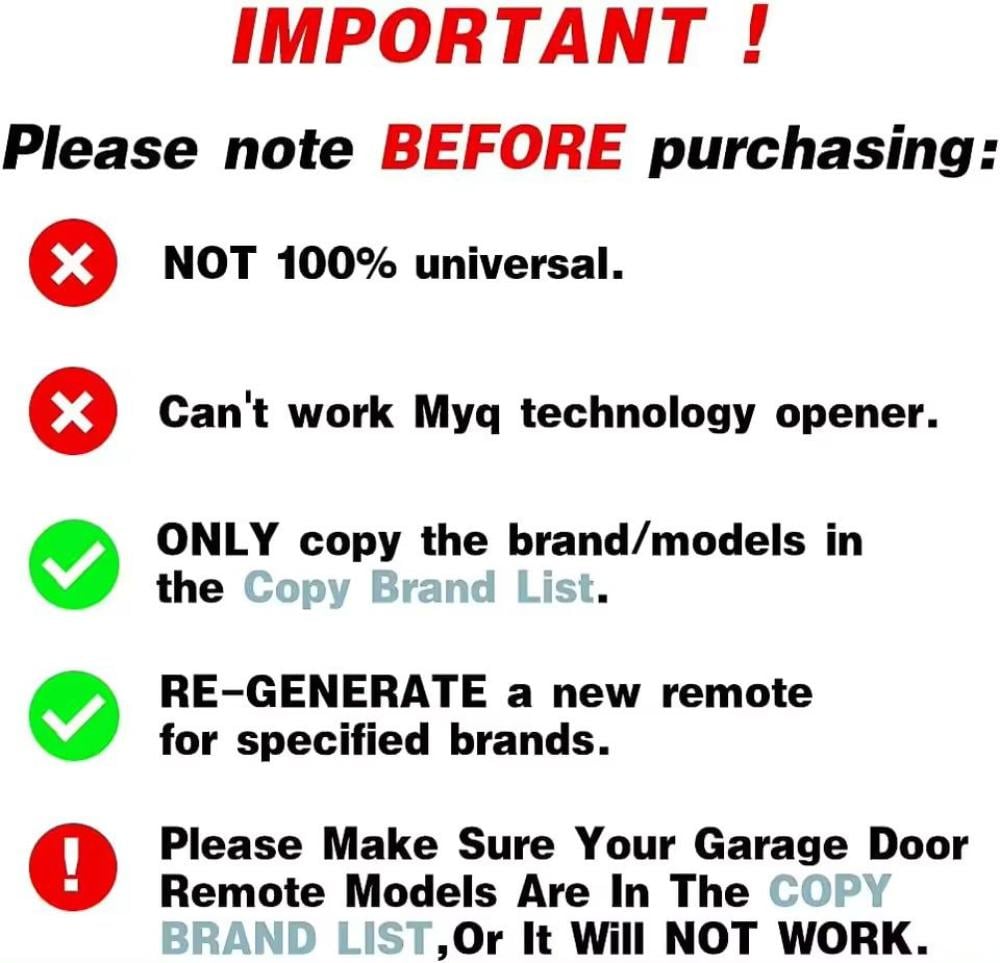
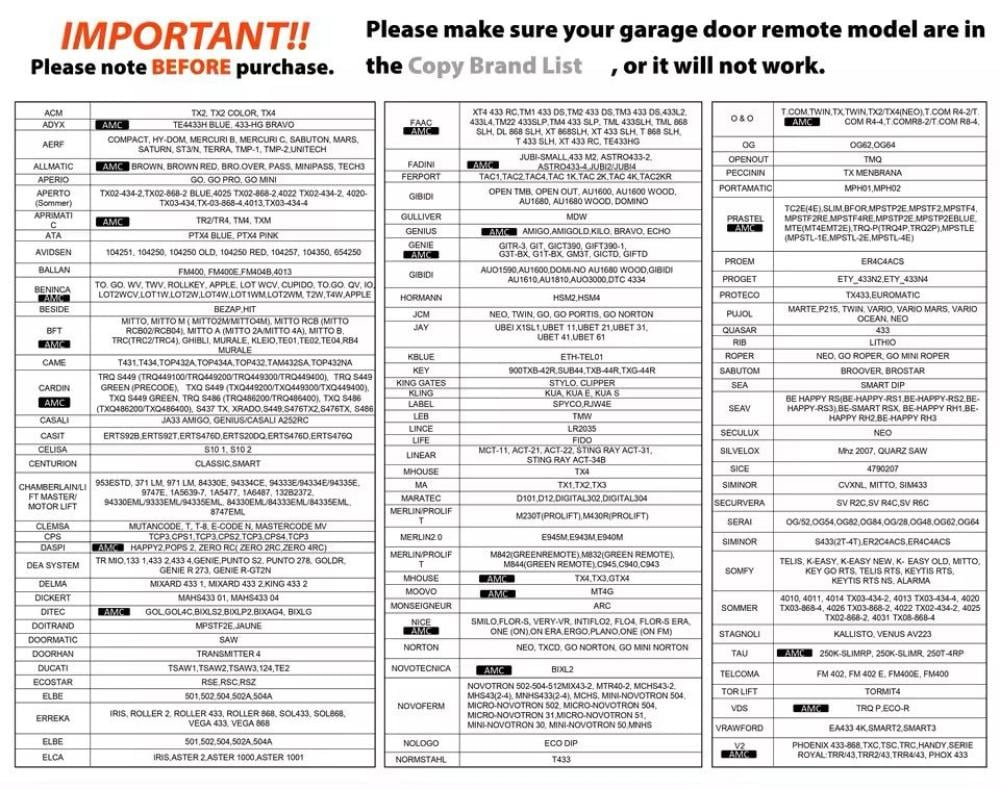
- يعمل مع العلامات التجارية المحددة المدرجة في قائمة العلامات التجارية القابلة للنسخ
- لا يدعم أجهزة فتح الباب بتقنية MyQ
- يرجى التأكد من أن نموذج جهاز التحكم عن بعد لباب الجراج الخاص بك مدرج في قائمة العلامات التجارية القابلة للنسخ للتوافق
أكمل إعدادك (تُشترى معًا بشكل متكرر):
🛠️ إرشادات النسح والإعداد:
خطوات برمجة ريموتك الجديد من متجر أبحِر:
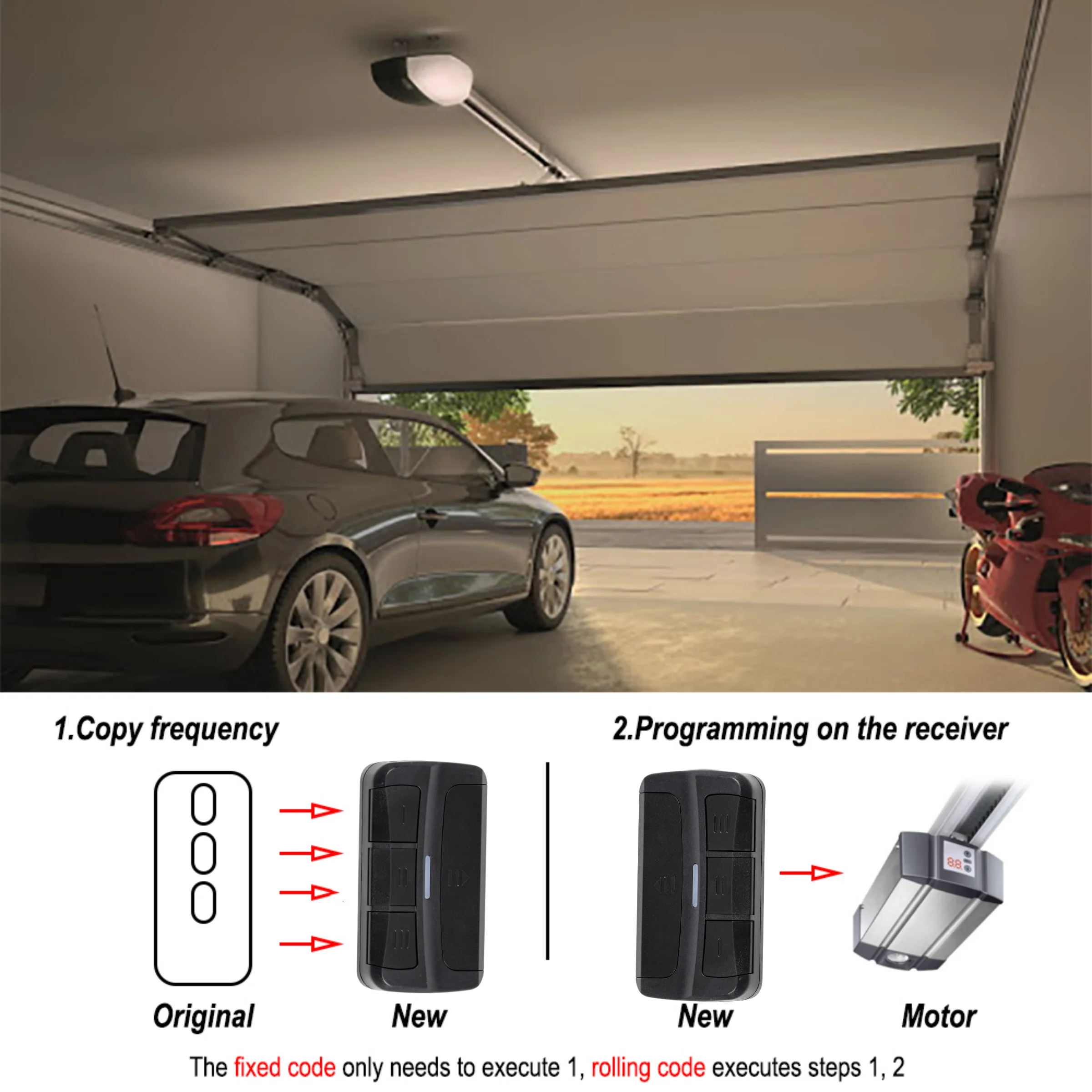
الخطوة 1: تصفير الريموت الجديد (عشان يلقط التردد)
* علق بصبعك على زر رقم (1) ولا تشيله، وفي نفس الوقت اضغط زر رقم (2) ثلاث أو أربع مرات ورا بعض لين تشوف اللمبة بدت تأشر بسرعة.
* كذا الريموت صار جاهز يستقبل التردد الجديد.
الخطوة 2: نسخ التردد من الريموت القديم
* لازم الريموت القديم يكون جنبك وشغال.
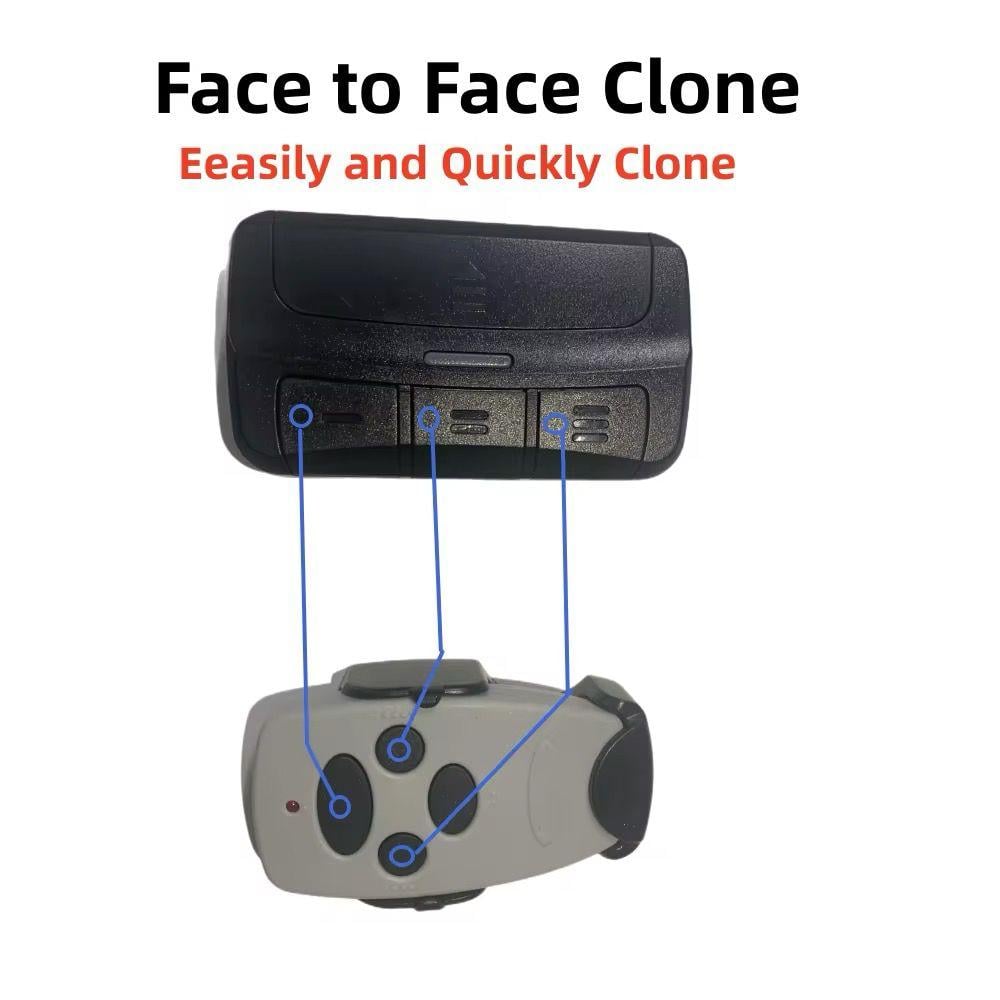
* قرب الريموت القديم من ريموت "أبحِر" الجديد، وعلق على الزر اللي تبي تبرمجه في الريموت الجديد (مثلاً رقم 1) وبنفس الوقت علق على زر فتح الباب في الريموت القديم.
* إذا شفت اللمبة في الريموت الجديد ثبتت أو أشرت بقوة، معناها خلاص "لقط" التردد بنجاح.
الخطوة 3: تعريف الريموت على ماكينة الكراج (إذا لزم الأمر)
* أحياناً تحتاج تضغط زر البرمجة (Learn/Code) الموجود في جهاز الكراج المثبت في السقف لين تولع لمبته.
* أول ما تولع لمبة الماكينة، اضغط على طول على الزر اللي برمجته في ريموتك الجديد ضغطتين أو ثلاث لين تشوف الماكينة استجابت.
الدليل الموحد والشامل لبرمجة ريموتك أو سيارتك من متجر أبحِر:
أولاً: برمجة ريموت "أبحِر" المتعدد (Universal Remote)
هذه الطريقة تناسب الريموتات التي يتم برمجتها مباشرة من خلال وحدة التحكم (الجهاز المعلق في السقف):
تحديد نوع الإشارة: افتح غطاء الماكينة في السقف وابحث عن زر البرمجة (Learn Button). لونه يحدد عدد الضغطات المطلوبة:
أصفر: ضغطة واحدة.
أرجواني: ضغطتان.
أحمر/برتقالي: 3 ضغطات.
أخضر: 4 ضغطات.
تجهيز الريموت: استخدم مشبكاً صغيراً للضغط على زر البرمجة المخفي خلف الريموت لين يولع الضوء.
اختيار الزر: اضغط على الزر اللي تبي تبرمجه (مثلاً الزر الكبير) عدد المرات المطلوب حسب لون زر الماكينة (اللي حددناه في الخطوة 1).
تثبيت البرمجة: اضغط على أي زر آخر في الريموت عشان تحفظ الإعداد.
الربط النهائي: اضغط زر (Learn) في ماكينة السقف، ثم اضغط الزر اللي برمجته في الريموت مرتين، وبكذا يكون اشتغل.
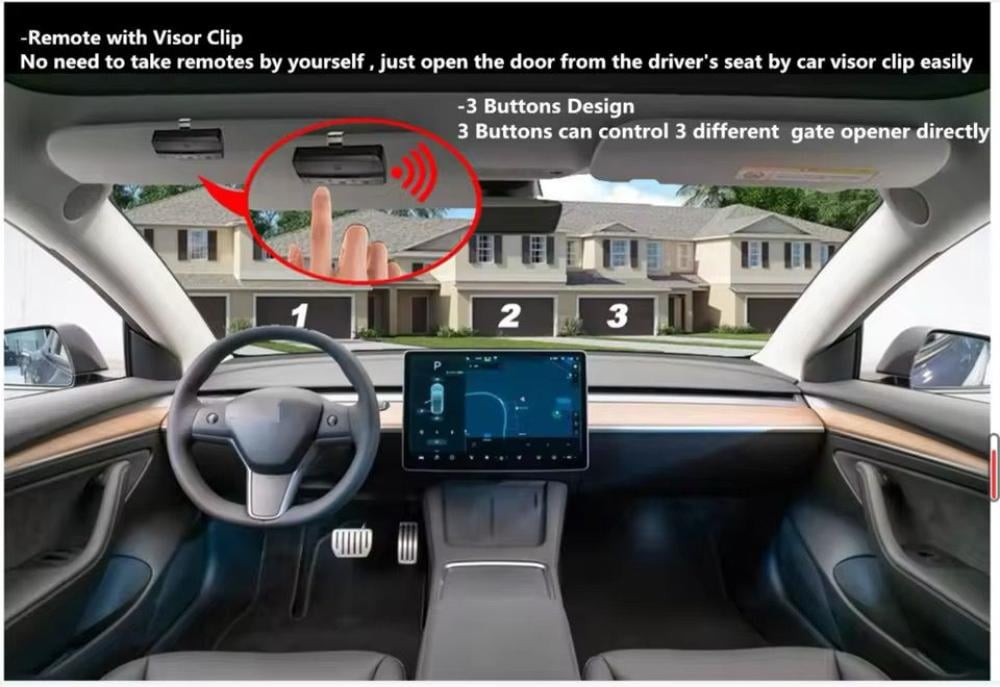
ثانياً: برمجة الكراج على السيارة (HomeLink)
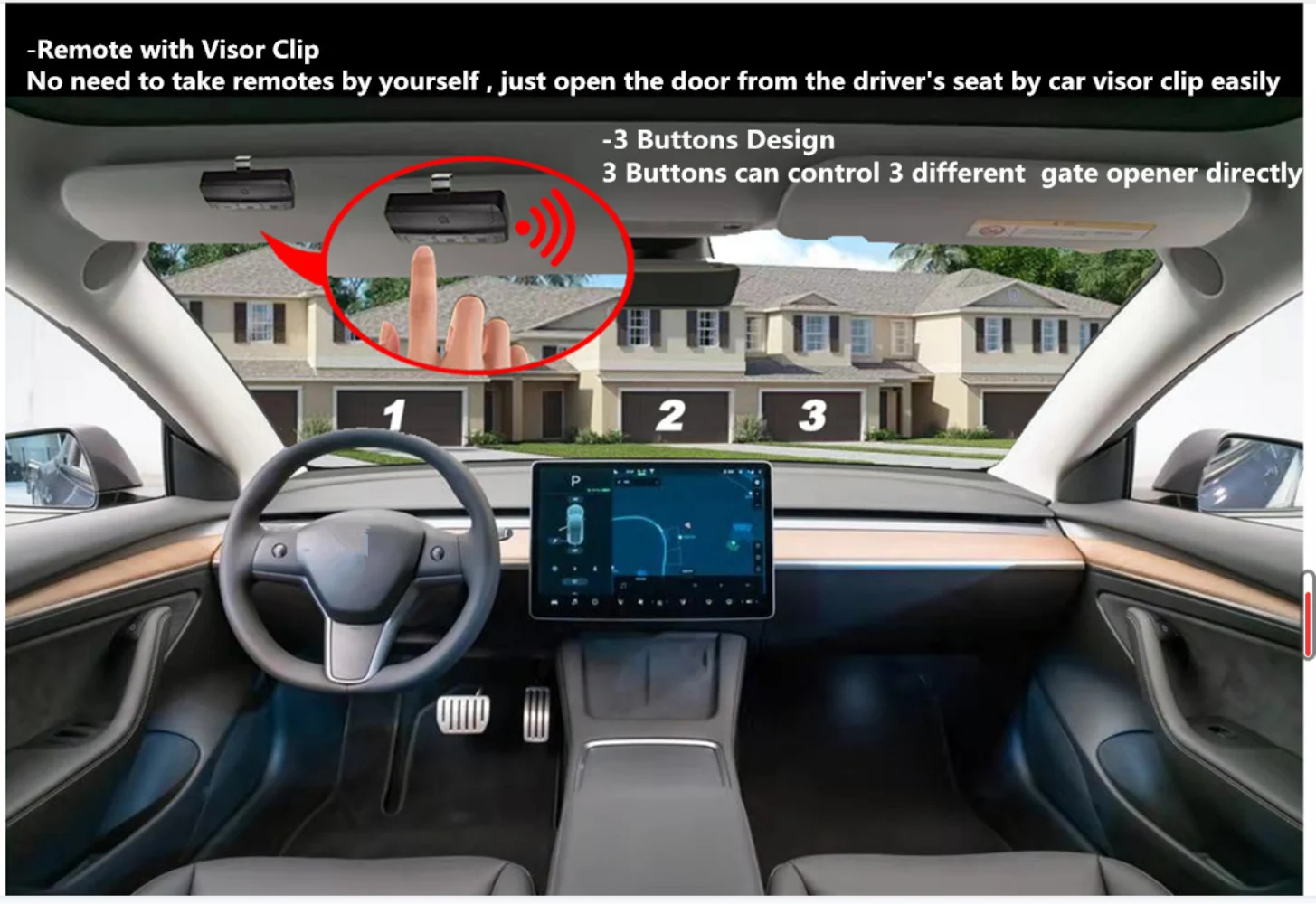
إذا كانت سيارتك (مرسيدس، فورد، جيب، لكزس) تدعم نظام HomeLink:
تصفير الذاكرة: علق على الزرين اللي في الأطراف (رقم 1 و3) في مراية السيارة أو شماسة السيارة لمدة 10-20 ثانية لين تشوف اللمبة تومض بسرعة. كذا مسحت كل الكودات القديمة.
النسخ من الريموت: قرب ريموت الكراج من أزرار السيارة (مسافة 5 سم). اضغط وعلق على زر السيارة اللي تبي تبرمجه وزر فتح الكراج في الريموت في نفس الوقت.
التأكيد: إذا بدت اللمبة في السيارة تومض بسرعة أو تحول لونها للأخضر، معناها النسخ تم بنجاح.
في حال لم يعمل (نظام التردد المتغير): إذا النسخ تم والباب ما فتح، روح لماكينة السقف واضغط زر (Learn)، ثم ارجع لسيارتك واضغط زر البرمجة مرتين أو ثلاث لين يفتح الباب.
ثالثاً: ملخص التعليمات المختصرة (Easy Tallying)
الخطوة الإجراء ملاحظة
المسح علق على زر (1 و 2) في الريموت أو (1 و 3) في السيارة. لتجهيز الجهاز لاستقبال كود جديد.
النسخ قرب الريموتين من بعض وعلق على الزرين مع بعض. انتظر اللمبة لين تومض بسرعة.
الربط اضغط زر (Learn) في الماكينة ثم زر الريموت. ضروري للموديلات الحديثة والآمنة.
نصيحة من متجر أبحِر: إذا فقدت ريموتك القديم، يمكنك دائماً التصفير والبرمجة من زر (Learn) في الماكينة مباشرة
مصادر ومقاطع فيديو مفيدة:
https://youtu.be/Sjn8n_qrzvU
https://youtu.be/xZIYbAyn764
https://youtube.com/shorts/KvhEuSoUjkQ
الاستخدام المُوصى به:
- للاستخدام مع أبواب الكراج والبوابات والأنظمة الآلية الأخرى بجدول الماركات والموديلات المتوافقة.
احتياطات السلامة:
- تأكد من برمجة جهاز التحكم عن بُعد بشكل صحيح لتجنب التشغيل العرضي لباب الكراج.
- احتفظ بريموت التحكم بعيدًا عن متناول الأطفال.
الخصائص العامة:
- التردد: 280-868 ميجاهرتز
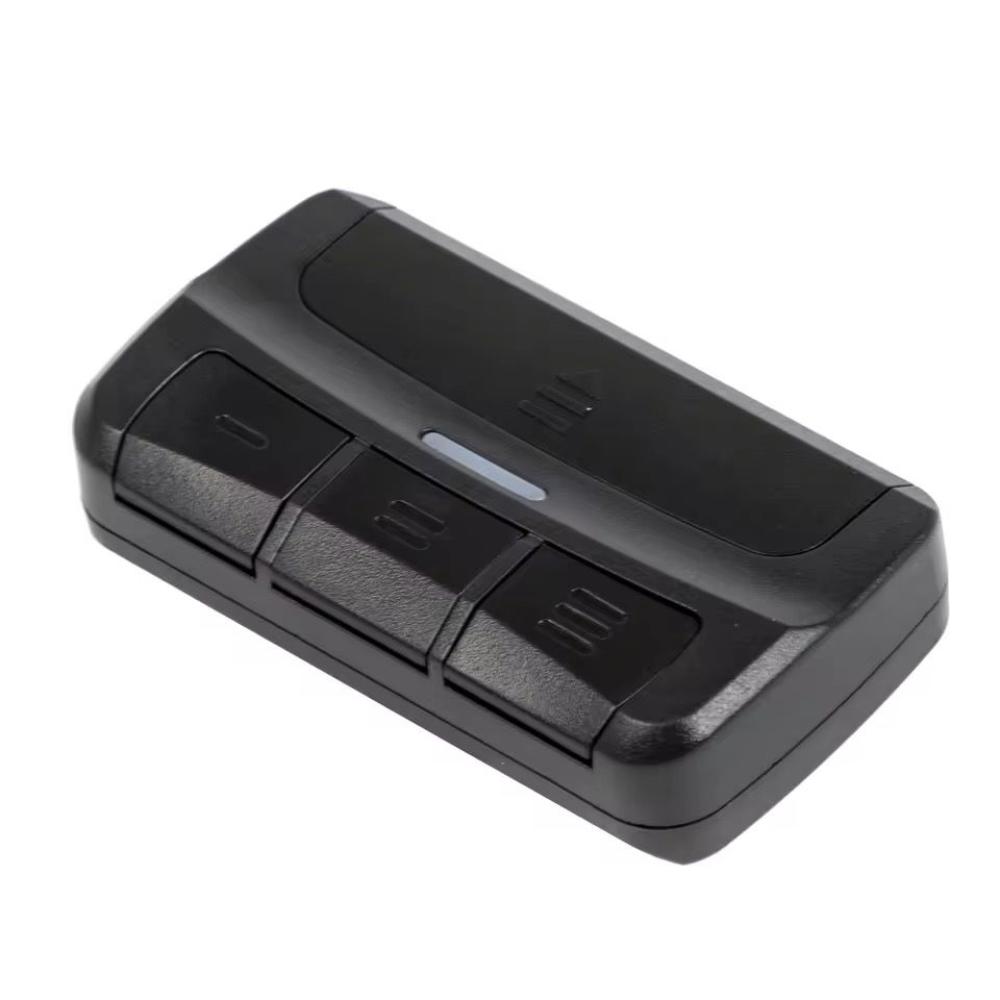
- عدد الأزرار: 4
- نوع الترميز: تعلم الرمز، رمز ثابت، رمز مُتداول
- التوافق: مُعظم علامات أجهزة فتح أبواب الكراج
محتويات العبوة:
- 1 × جهاز نسخ ريموت باب الكراج شامل
- 1 × دليل المستخدم
ملاحظة هامة قبل الشراء:!!؟
هذا المنتج غير متوافق مع جميع أجهزة فتح الباب. إنه متوافق فقط مع العلامات التجارية والنماذج المدرجة في قائمة العلامات التجارية القابلة للنسخ بالجدول التالي.